Sunday, 28 May 2023

ChatGPT Hacks for IT Executives

ChatGPT Hacks for IT Executives

ChatGPT is an AI-powered chatbot that has transformed the IT industry. It enhances customer support, automates tasks, aids decision-making, facilitates knowledge management, strengthens cybersecurity, and helps IT executives stay updated with emerging technologies. With its generated human-like responses and advanced capabilities, ChatGPT is revolutionizing how businesses interact with customers and streamline operations. IT executives have a vital role in leveraging ChatGPT for various purposes within their organizations. They utilize ChatGPT for strategic decision-making, optimizing IT operations, enhancing customer experience, driving innovation, managing knowledge, strengthening cybersecurity, and staying updated with emerging technologies. By harnessing the power of ChatGPT, IT executives can drive efficiency, improve customer satisfaction, foster collaboration, mitigate risks, and achieve organizational goals.

Hack 1: Streamline Support Operations

ChatGPT can automate and improve IT support processes by automating ticketing and routing, providing self-service support through a knowledge base, offering real-time assistance, generating automated responses, facilitating escalation and handover, and continuously learning and improving. It streamlines support operations, reduces response times, empowers users, and enhances overall efficiency in addressing IT support queries and issues.

IT executives can implement ChatGPT to handle common support queries and reduce response times by following these steps:

Training:
Train ChatGPT on historical support data or a curated knowledge base to understand common support queries and their appropriate responses.

Integration:
Integrate ChatGPT into the support system, enabling users to interact with the chatbot and submit their queries.

Natural Language Processing:
Utilize ChatGPT’s natural language processing capabilities to accurately understand and interpret user queries.

Automated Responses:
Configure ChatGPT to generate automated responses for common support queries, providing immediate assistance to users.

Escalation and Handover:
Set up escalation protocols for complex or critical issues where human intervention is required, ensuring a smooth handover to support agents when necessary.

By implementing ChatGPT in this manner, IT executives can leverage its capabilities to handle common support queries, provide prompt responses, and reduce overall response times, resulting in improved customer satisfaction and optimized support operations.

Hack 2: Enhance Decision-Making

IT executives can leverage ChatGPT to gather insights and make informed decisions by following these steps:

Data Analysis:
Train ChatGPT on relevant data sets or provide it with access to data sources. ChatGPT can analyze large volumes of data and identify patterns, trends, and correlations.

Natural Language Processing:
Utilize ChatGPT’s natural language processing capabilities to process and interpret complex queries or requests for data analysis.

Queries and Predictions:
Engage in interactive conversations with ChatGPT to ask specific questions or seek predictions based on the available data.

Recommendations and Scenarios:
Seek recommendations from ChatGPT by providing hypothetical scenarios or variables. ChatGPT can generate insights and suggest potential courses of action.
By leveraging ChatGPT in this manner, IT executives can tap into its analytical capabilities, extract valuable insights from data, and make informed decisions based on the information provided by the chatbot. ChatGPT serves as a valuable tool for data-driven decision-making and can assist IT executives in optimizing their strategies and operations.

Using ChatGPT for data analysis, trend identification, and predictive modeling offers several benefits:

Efficient Data Analysis:
ChatGPT can process and analyze large volumes of data quickly and accurately, saving time and resources compared to manual analysis.

Pattern and Trend Identification:
ChatGPT can identify patterns, trends, and correlations within datasets, enabling IT executives to gain valuable insights into customer behavior, market trends, and operational patterns.

Predictive Modeling:
By leveraging historical data and machine learning capabilities, ChatGPT can generate predictive models that forecast near-future outcomes, aiding in proactive decision-making and strategic planning.

Real-Time Interactive Queries:
ChatGPT allows for interactive conversations, enabling IT executives to ask complex queries, explore “what-if” scenarios, and receive immediate responses, facilitating iterative data analysis and exploration.

Accessibility and Ease of Use:
ChatGPT’s natural language processing capabilities make it accessible to users without specialized data analysis skills, empowering IT executives and non-technical stakeholders to derive insights and make data-driven decisions.

Continuous Learning and Improvement:
ChatGPT can be trained on new data and continuously improved, adapting to changing patterns and trends to provide up-to-date and accurate insights.

By utilizing ChatGPT for data analysis, trend identification, and predictive modeling, IT executives can unlock valuable insights, enhance strategic decision-making, identify opportunities for growth, and optimize their business strategies based on data-driven evidence.

Hack 3: Optimize IT Project Management

ChatGPT assists IT executives in managing complex projects more efficiently by facilitating task assignment and tracking, promoting collaboration and communication, optimizing resource allocation, aiding in risk management, providing decision support, and serving as a repository for project documentation and knowledge sharing. It streamlines workflows, improves team coordination, mitigates risks, and enhances overall project management effectiveness. ChatGPT plays a role in generating project reports by analyzing project data and milestones, monitoring progress in real time, and identifying potential bottlenecks. It helps IT executives create accurate reports, track project status, and take proactive measures to ensure smooth project execution.
Hack 4: Automate Routine Tasks

ChatGPT automates repetitive tasks and increases productivity by handling routine tasks, integrating with existing systems, providing automated support responses, scheduling, and reminders, facilitating information retrieval, and offering decision support. This automation frees up time for IT executives to focus on more strategic activities, streamlines processes, and enhances overall productivity within the organization.

ChatGPT can streamline various routine IT tasks, including:

Password Resets:
ChatGPT can automate the process of resetting passwords for users by verifying their identity and generating new passwords, eliminating the need for manual intervention by IT staff.

Software Installations:
ChatGPT can provide step-by-step instructions for software installations, guiding users through the process and addressing common issues or questions, reducing the number of support requests related to software installations.

Network Troubleshooting:
ChatGPT can offer troubleshooting guidance for common network issues, such as connectivity problems or configuration errors. It can provide users with instructions to diagnose and resolve network-related issues without the need for immediate IT assistance.

User Account Management:
ChatGPT can handle routine user account management tasks, such as creating new accounts, modifying permissions, or disabling accounts based on predefined rules or policies.

System Updates and Patches:
ChatGPT can automate the process of informing users about system updates and patches, providing notifications and instructions for installing updates to ensure systems are up-to-date and secure.

Hardware and Peripheral Support:
ChatGPT can assist users with troubleshooting common hardware or peripheral issues, such as printer connectivity problems or driver installations, offering step-by-step guidance to resolve these issues.

License and Asset Management:
ChatGPT can help users with license inquiries, and asset tracking, and provide information on software or hardware availability within the organization.

By automating these routine IT time-consuming tasks, ChatGPT reduces the workload on IT staff, improves response times, and empowers users to resolve common issues independently, resulting in increased efficiency and productivity within the IT support ecosystem.

Hack 5: Improve Customer Engagement

IT executives can leverage ChatGPT to enhance customer experience and engagement in several ways:

Personalized Interactions:
ChatGPT can be trained on customer data, preferences, and past interactions to create personalized experiences. It can address customers by name, tailor responses based on their history, and personal branding, and provide relevant recommendations or offers, fostering a sense of individualized attention.

Customer Query Resolution:
ChatGPT can handle customer queries and provide accurate responses in a timely manner. By understanding natural language and context, it can address a wide range of customer inquiries, from product information to troubleshooting, ensuring prompt and helpful assistance.
Proactive Support:
ChatGPT can be programmed to proactively reach out to customers with relevant information, updates, or offers. It can provide proactive support by detecting patterns, predicting potential issues, and offering solutions or preventive measures, enhancing the overall customer experience.

24/7 Availability:
ChatGPT can provide round-the-clock availability for customer support. It eliminates the limitations of human agent availability and allows customers to access assistance whenever they need it, increasing customer satisfaction and reducing response time.

Seamless Multi Channel Support:
ChatGPT can be integrated into various communication channels, such as websites, mobile apps, or social media platforms, enabling consistent and seamless support across different key points. It ensures that customers can engage with the chatbot through their preferred channels, enhancing convenience and accessibility.

By leveraging ChatGPT in these ways, IT executives can enhance customer experience and engagement. ChatGPT creates personalized content interactions, addresses customer queries promptly, provides proactive support, ensures 24/7 availability, enables multichannel support, and drives continuous learning and improvement, ultimately leading to higher customer satisfaction and loyalty.

Hack 6: Facilitate Knowledge Management

ChatGPT can be utilized as a knowledge management tool for IT executives, offering several benefits in capturing, organizing, and retrieving internal knowledge within the organization:

Knowledge Capture:
IT executives can train ChatGPT on relevant internal documentation, best practices, or technical knowledge. The chatbot can capture and store this information, ensuring it is preserved and easily accessible.

Organization and Categorization:
ChatGPT can assist in organizing knowledge by categorizing information into topics or areas of expertise. It can create content and a structured knowledge base, making it easier for IT executives to navigate and locate specific information when needed.

Search and Retrieval:
ChatGPT’s natural language processing capabilities enable intuitive search engines and retrieval of knowledge. IT executives can ask specific questions or describe their information needs, and ChatGPT can provide relevant responses or direct them to the appropriate resources within the knowledge base.

The benefits of using ChatGPT as a knowledge management tool include efficient knowledge capture, organized information retrieval, enhanced accessibility, continuous learning, and improved collaboration. By leveraging ChatGPT in this way, IT executives can optimize knowledge utilization, streamline workflows, and enable faster and more informed decision-making within their organization.

Hack 7: Enable Virtual IT Assistance

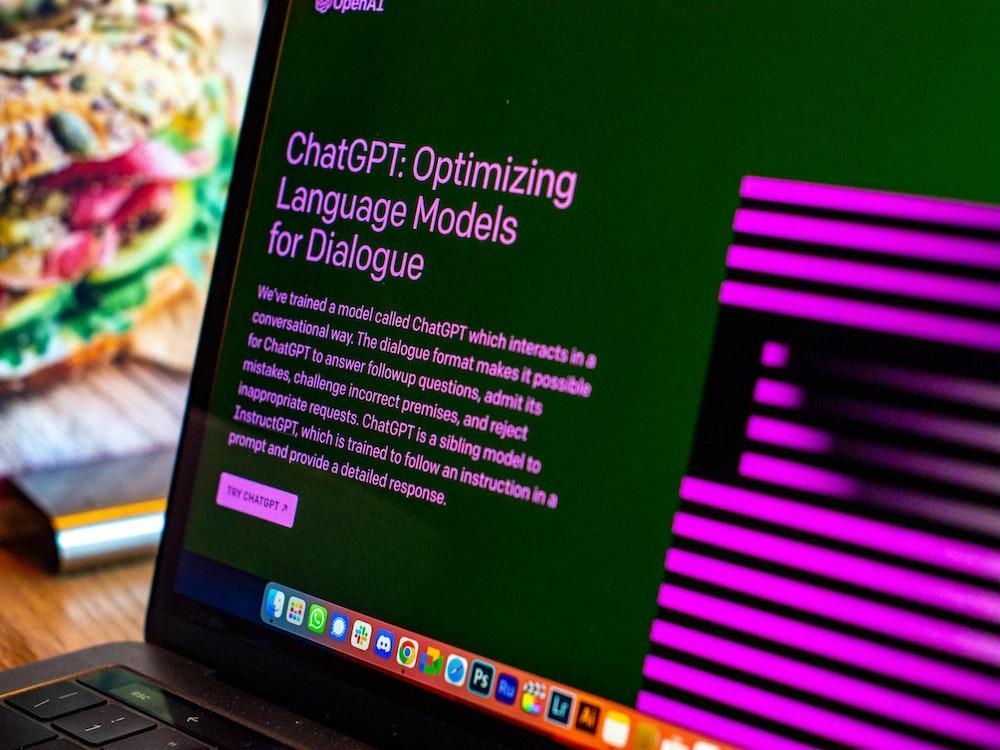
ChatGPT can be utilized as a virtual IT assistant for IT executives, providing real-time assistance, troubleshooting, and guidance. It offers immediate support, helps in resolving IT issues, acts as a knowledge repository, automates routine processes, offers decision support, and continuously learns and adapts to user needs. As a virtual IT assistant, artificial intelligence, ChatGPT enhances productivity, streamlines workflows, and assists IT executives in making informed decisions.
Hack 8: Strengthen Security Measures

ChatGPT enhances cybersecurity for IT executives by helping identify vulnerabilities, detect threats, and analyze security logs. It assists in assessing weaknesses, detecting suspicious activities, analyzing security logs, guiding incident response, enforcing security policies, and providing security awareness training. By leveraging ChatGPT, IT executives can strengthen their cybersecurity defenses and effectively respond to potential threats.

Hack 9: Foster Collaboration and Communication

ChatGPT facilitates seamless collaboration among IT teams by providing real-time communication, knowledge sharing, and brainstorming features. It enables real-time messaging for team family members to exchange updates and discuss projects.

ChatGPT acts as a knowledge repository, allowing teams to capture and share best practices, solutions, and resources.

It supports cross-functional collaboration, bringing together teams from different domains. ChatGPT aids in brainstorming sessions, providing creating prompts and suggestions for idea generation.

It helps with task assignment and tracking, ensuring transparency and accountability. Integration with collaboration tools enhances the overall collaboration experience. With ChatGPT, IT teams can collaborate effectively, share knowledge, and foster innovation.
Hack 10: Stay Updated with Emerging Technologies

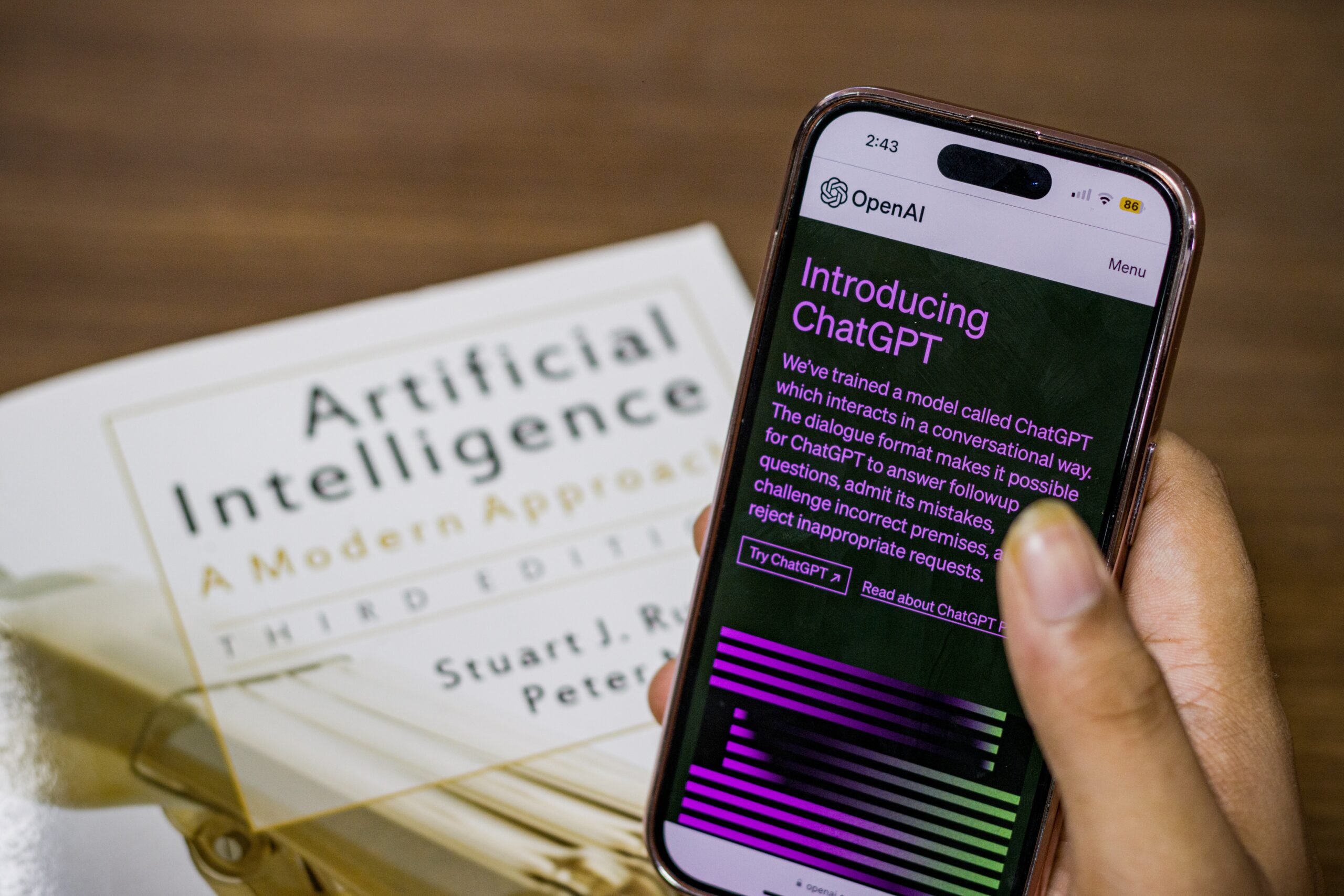
ChatGPT assists IT executives in staying updated with the latest technological advancements. It analyzes industry trends, monitors tech news, and job description, and recommends innovation strategies. By leveraging ChatGPT, IT executives can stay informed about emerging technologies, understand their implications, and formulate strategies to adopt and leverage them effectively

FAQs

How to use ChatGPT to increase productivity?

ChatGPT can be used to automate tasks, access information quickly, receive real-time assistance, facilitate collaboration, and provide decision support, all of which contribute to increased productivity.

How does ChatGPT affect productivity?

ChatGPT affects productivity by automating routine-specific tasks, providing quick access to information, offering real-time assistance, enabling collaborative workflows, and assisting in decision-making, resulting in more efficient and productive work processes for IT healthcare professionals.

Conclusion

ChatGPT serves as a valuable tool for IT executives, providing assistance in various areas such as IT support, knowledge management, project management, cybersecurity, collaboration, and staying updated with technological advancements.

Its capabilities streamline processes, enhance decision-making, promote collaboration, and support innovation. By leveraging ChatGPT, IT executives can effectively tackle challenges, improve productivity, and drive their organizations toward success in the ever-evolving IT landscape

Get A Free Estimate

At Forsyth Software, we specialize in Salesforce.com CRM services, mobile apps development and data integration services. We recognize that every customer has unique business challenges and we work hand in hand to overcome those challenges with them. We provide services in the following areas – General Software Support : We work with IT and Operational teams to support, maintain and enhance IT applications like Salesforce, Monday.com, Zoho, Workday, ERP System as well as custom applications developed using PHP, DotNet, Java and a host of other technologies. Salesforce Implementations : Forsyth Software can set up and implement various Salesforce.com Clouds like the Sales Cloud, Service Cloud, Marketing Cloud, CPQ, Analytics, Tableau for your sales and support teams. Call us today to get a demonstration of Salesforce to see if it fits your needs. Mobile Apps Development : We provide support, maintenance and enhancement services for Android and iOS mobile Apps as well as mobile web apps. Data Integration Services: Our team can help integrate software systems using point to point or centralized data connectors, using tools like Mulesoft, Dell Boomi, JitterBit and SSIS. If you would like to connect and transact data between systems then contact us to get an analysis done. Contact Forsyth Software at (866) 876 0227 or contact@forsythsoftware.com to discuss your specific needs and get a free estimate.

Success Stories

The Business Challenge: TelPlus a managed services company based out of Atlanta was looking for a new vendor to take over it’s Salesforce.com CRM and help improve it’s performance. The original implementation of Salesforce.com were not completely successful, TelPlus was looking for a trusted partner to work collaboratively on improving the performance, usability and adoption of both Salesforce applications within their call center. Our Approach: The Forsyth Software Services team worked with the internal IT and business groups, shadowing call center agents and back office users or Salesforce.com. They Proposed a three step approach to improving usability and increasing adoption through simplification of the call center applications. would become and integral part of their operations infrastructure The Outcome: The solution implementation resulted in a three-fold increase in adoption of Salesforce.com along with improved customer retention and customer satisfaction scores for TelPlus.
The Business Challenge: The original purpose for DAIKIN needing the services of Forsyth Software Services was to help with a Salesforce.com training seminar. With time this transformed into management providing insights into the challenges faced with professional services project management tracking and project accounting. Our Approach: Forsyth Software Services identified and implemented the AgilePMO salesforce.com based PSA solution which includes all aspects of project tracking like task tracking, project team member tracking, scheduling, time tracking and project accounting. The Outcome: The solution implementation resulted in a three-fold increase in adoption of Salesforce.com an overall increase in revenue tracking and project billing since a lot of the tasks that were previously accomplished via complex excel were automated within Salesforce.com.

Customer Testimonials

"We were able to speed up product and design and delivery while reducing our costs. Forsyth Software has been hands down the best vendor decision my team has made."

Mark S.

"They have high-quality resources who are willing to go the extra mile to provide value in development."

Tim R.

“Working with this company has been one of the best decisions that we have made. Our call handling times have gone down with the automation built by Forsyth Software."

Robert F.

The post ChatGPT Hacks for IT Executives appeared first on Forsyth Software Services LLC.


source https://www.forsythsoftware.com/chatgpt-hacks-for-it-executives/

Tuesday, 2 May 2023

5 Strategies To Retain Top IT Talent

5 Strategies To Retain Top IT Talent

In today’s competitive business landscape, finding and retaining top IT talent is crucial for any organization that wants to stay ahead of the curve. Skilled IT professionals are in high demand and can be difficult to replace if they leave, leading to increased recruitment costs, loss of expertise, and a negative impact on business operations. Therefore, organizations must implement effective strategies to retain their top IT talent.

Here are five proven strategies to help organizations retain their top IT talent. These strategies include offering competitive compensation and benefits, providing opportunities for professional development, fostering a positive and supportive work environment, recognizing and rewarding excellence, and offering flexible work arrangements.

By implementing these strategies, organizations can improve employee retention, boost productivity, and maintain a competitive edge in the marketplace.

#1 Offer Competitive Compensation and Benefits

Competitive compensation and benefits are critical in attracting and retaining top IT talent. IT professionals are in high demand, and they know their worth.
If an organization fails to offer competitive compensation and benefits, its top IT talent may leave for better opportunities. Therefore, organizations need to prioritize compensation and benefits to retain their top talent.

Examples of effective compensation and benefits packages include bonuses, profit sharing, stock options, retirement plans, health insurance, paid time off, flexible work arrangements, and career development opportunities.

Tips for implementing a competitive compensation and benefits package include:

  • Conducting market research to understand the industry’s prevailing compensation and benefits packages.
  • Establishing clear and transparent compensation policies and procedures.
  • Offering a total rewards package that includes salary, benefits, perks, and professional development opportunities.
  • Regularly reviewing and updating compensation and benefits packages to remain competitive.
  • Communicating the value of the compensation and benefits package to employees to increase their job satisfaction and loyalty.
  • By offering competitive compensation and benefits, organizations can retain their top IT talent and ensure that they remain engaged and committed to achieving the organization’s goals.

#2 Provide Opportunities for Professional Development

Providing opportunities for professional development is essential in retaining top IT talent. IT professionals are typically highly skilled and seek to develop their expertise continuously.

An organization needs to provide opportunities for professional development to ensure its top IT talent feels energized, which can lead to disengagement and, ultimately, departure. Therefore, organizations must invest in professional development programs to retain top IT talent.

Examples of effective professional development opportunities include mentorship programs, conferences, training sessions, online courses, certifications, and job shadowing.

Organizations should also offer opportunities for cross-functional collaboration, which can help IT professionals develop new skills and gain exposure to different areas business areas.

Tips for implementing a professional development program include:

  • Identifying the IT professionals’ specific needs and interests d tailoring the program to meet those needs.
  • Providing adequate resources, such as time, funding, and support, to facilitate professional development.
  • Encouraging and supporting employees to pursue professional development opportunities
  • Regularly reviewing and updating compensation and benefits packages to remain competitive.
  • Offering opportunities for employees to apply newly acquired skills and knowledge to their work.
  • Providing feedback and recognition to employees who participate in professional development activities.

By providing opportunities for professional development, organizations can demonstrate their commitment to their employees’ growth and development, increasing job satisfaction and reducing turnover.

#3 Foster a Positive and Supportive Work Environment

Retaining top IT personnel is critical for any organization’s success. A positive and supportive work environment is key to keeping top IT talent happy and motivated. Employees who feel valued and supported are likely to be engaged, productive, and committed to their work. In contrast, a negative work environment with a lack of support can lead to high turnover rates and decreased employee job satisfaction.

There are several effective strategies for fostering a positive and supportive work environment:

  1. Encourage open communication: Encourage employees to openly share their ideas, concerns, and feedback with managers and colleagues. Create a culture where open communication is valued and encouraged.
  2. Provide opportunities for growth and development: Offer training and development opportunities for employees to enhance their skills and knowledge. Please encourage them to pursue new challenges and take on new responsibilities.
  3. Celebrate successes: Recognize and celebrate the achievements of individual employees and teams. This can be done through public recognition, bonuses, or other rewards.
  4. Offer work-life balance: Promote a healthy work-life balance by offering flexible work arrangements such as telecommuting, flexible hours, or job sharing. Encourage employees to take breaks and time off when needed to avoid burnout.
  5. Foster a sense of community: Encourage social connections and team-building activities to create a sense of community among employees. This can include team lunches, volunteer activities, or company-sponsored events.

Tips for fostering a pleasant and supportive workplace culture:

  • Lead by example: Managers should set a positive tone and demonstrate the behavior they expect from their employees.
  • Encourage feedback: Solicit feedback from employees regularly to identify areas for improvement and opportunities for growth.
  • Promote transparency: Keep employees informed about company culture, policies, goals, and changes that may affect them.
  • Recognize and reward: Recognize and reward employees for their hard work and achievements.
  • Support work-life balance: Offer flexible work arrangements and encourage employees to take time off when needing a healthy work-life balance.

By implementing these strategies and tips, organizations can foster a positive and supportive work environment that will help to attract and retain top IT talent.

#4 Recognize and Reward Excellence

Recognizing and rewarding excellence is a crucial component of retaining top IT talent. Employees who feel appreciated and valued are more likely to be likelier in an organization long-term. Recognizing and rewarding excellence can also help to motivate employees and increase their job satisfaction.

There are several effective recognition and reward programs that organizations can implement to retain top IT talent:

  1. Performance-based bonuses: Offer bonuses or other incentives to employees who meet or exceed performance targets.
  2. Employee of the Month/year programs: Recognize outstanding employees with an Employee of the Month or year award.
  3. Peer recognition programs: Encourage employees to recognize their colleagues’ accomplishments through a peer recognition program.
  4. Career development opportunities: Provide opportunities for employees to develop new skills, take on new responsibilities, and advance in their careers.
  5. Non-monetary rewards: Offer non-monetary rewards such as extra vacation time, flexible work arrangements, or public recognition.

Tips for implementing a recognition and reward program:

  • Be specific: Clearly define the criteria for recognition and rewards and communicate them to employees.
  • Make it fair: Ensure that the recognition and reward program is fair and consistent for all employees.
  • Please be aware that you should be aware of and reward employees in a timely manner to reinforce the behavior or accomplishment.
  • All employees should encourage all employees to participate in the recognition and reward program.
  • Get feedback: Solicit employee feedback to improve the program and ensure it meets their needs.

By implementing an effective recognition and reward program, organizations can retain top IT talent by showing that they are valued and appreciated. This can lead to increased employee motivation, job satisfaction, and employee loyalty.

#5 Offer Flexible Work Arrangements

Offering flexible work arrangements is a key strategy for retaining employees’ top IT talent. Flexible work arrangements allow employee engagement to balance their work and personal lives, which can lead to increased job satisfaction, productivity, and loyalty. In addition, flexible work arrangements can help organizations attract and retain top talent who value work-life balance.

There are several effective flexible work arrangements that organizations can implement:

  1. Telecommuting: Allow employees to work from home or other remote locations.
  2. Flextime: Offer flexible work hours, allowing employees to work earlier or later than standard business hours.
  3. Job sharing: Allow two employees to share the responsibilities of one job.
  4. Part-time work: Offer part-time positions with flexible hours.
  5. Compressed workweek: Allow employees to work longer hours for fewer days in the week.

Tips for implementing flexible work arrangements:

  • Establish guidelines: Clearly define the guidelines and expectations for flexible work arrangements.
  • Be consistent: Make sure flexible work arrangements are offered consistently to all eligible employees.
  • Communicate effectively: Communicate the benefits and guidelines of flexible work arrangements to all employees.
  • Provide resources: Provide employees with the necessary resources, such as technology and support, to work remotely.
  • Monitor performance: Monitor the performance of employees who work remotely to ensure they meet expectations.

By implementing flexible work arrangements, organizations can retain top IT talent by offering a work environment that promotes a better work-life balance and meets the needs of reduce employee turnover. This can increase job satisfaction, productivity, and loyalty, benefiting the organization’s bottom line.

FAQs

How do you retain top tech talent?

Retaining top tech talent can be achieved through various strategies such as offering competitive compensation, providing opportunities for career growth, fostering a positive work environment, recognizing and rewarding excellence, career and skills development, and offering flexible work arrangements.

How do you retain your IT staff?

To retain IT staff, organizations can implement strategies such as providing challenging and meaningful work, offering training and provide employee development opportunities, providing competitive compensation and benefits, creating a positive work environment, recognizing and rewarding excellence, and offering opportunities for career growth.

What are the five main fivers of employee retention?

The five main drivers of calculated employee retention are competitive compensation and benefits, opportunities for career growth and development, work-life balance, a positive and supportive work environment, and employee recognition and rewards.

How do you motivate and retain top talent?

Motivating and retaining top talent can be achieved through various strategies such as offering challenging and meaningful work, providing opportunities for career growth and development, recognizing and rewarding excellence, creating a positive and supportive work environment, providing a clear purpose and direction, and offering competitive compensation and benefits.

Conclusion

Retaining top IT talent is crucial for organizational success in the competitive digital landscape. The five strategies for retaining top IT talent are competitive compensation, career growth opportunities, a positive work environment, recognition and rewards, and flexible work arrangements.

Implementing a comprehensive retention strategy is important for creating a work environment attractive to top talent, leading to long-term retention and success. Regular evaluation and adjustment of retention strategies are necessary to meet the evolving needs of employees.

Get A Free Estimate

At Forsyth Software, we specialize in Salesforce.com CRM services, mobile apps development and data integration services. We recognize that every customer has unique business challenges and we work hand in hand to overcome those challenges with them. We provide services in the following areas –

General Software Support : We work with IT and Operational teams to support, maintain and enhance IT applications like Salesforce, Monday.com, Zoho, Workday, ERP System as well as custom applications developed using PHP, DotNet, Java and a host of other technologies.

Salesforce Implementations : Forsyth Software can set up and implement various Salesforce.com Clouds like the Sales Cloud, Service Cloud, Marketing Cloud, CPQ, Analytics, Tableau for your sales and support teams. Call us today to get a demonstration of Salesforce to see if it fits your needs.

Mobile Apps Development : We provide support, maintenance and enhancement services for Android and iOS mobile Apps as well as mobile web apps.

Data Integration Services: Our team can help integrate software systems using point to point or centralized data connectors, using tools like Mulesoft, Dell Boomi, JitterBit and SSIS. If you would like to connect and transact data between systems then contact us to get an analysis done.

Contact Forsyth Software at (866) 876 0227 or contact@forsythsoftware.com to discuss your specific needs and get a free estimate.

Success Stories

The Business Challenge: TelPlus a managed services company based out of Atlanta was looking for a new vendor to take over it’s Salesforce.com CRM and help improve it’s performance. The original implementation of Salesforce.com were not completely successful, TelPlus was looking for a trusted partner to work collaboratively on improving the performance, usability and adoption of both Salesforce applications within their call center.

Our Approach: The Forsyth Software Services team worked with the internal IT and business groups, shadowing call center agents and back office users or Salesforce.com. They Proposed a three step approach to improving usability and increasing adoption through simplification of the call center applications. would become and integral part of their operations infrastructure

The Outcome: The solution implementation resulted in a three-fold increase in adoption of Salesforce.com along with improved customer retention and customer satisfaction scores for TelPlus.

The Business Challenge: The original purpose for DAIKIN needing the services of Forsyth Software Services was to help with a Salesforce.com training seminar. With time this transformed into management providing insights into the challenges faced with professional services project management tracking and project accounting.

Our Approach: Forsyth Software Services identified and implemented the AgilePMO salesforce.com based PSA solution which includes all aspects of project tracking like task tracking, project team member tracking, scheduling, time tracking and project accounting.

The Outcome: The solution implementation resulted in a three-fold increase in adoption of Salesforce.com an overall increase in revenue tracking and project billing since a lot of the tasks that were previously accomplished via complex excel were automated within Salesforce.com.

Customer Testimonials

"We were able to speed up product and design and delivery while reducing our costs. Forsyth Software has been hands down the best vendor decision my team has made."

Mark S.

"They have high-quality resources who are willing to go the extra mile to provide value in development."

Tim R.

“Working with this company has been one of the best decisions that we have made. Our call handling times have gone down with the automation built by Forsyth Software."

Robert F.

The post 5 Strategies To Retain Top IT Talent appeared first on Forsyth Software Services LLC.


source https://www.forsythsoftware.com/5-strategies-to-retain-top-it-talent/

Thursday, 13 April 2023

10 Cool Tricks With Salesforce Flows

10 Cool Tricks With Salesforce Flows

Leadership is essential to any successful organization, which also holds for the information technology (IT) industry. IT executives manage teams of highly skilled professionals, implement new technologies, and ensure the smooth operation of their IT infrastructure. To succeed in this role, IT executives must possess unique and important leadership skills tailored to the industry’s specific challenges and demands. This article will explore five key leadership skills that IT executives must possess to lead their teams effectively and drive innovation within their organizations. These skills include communication, strategic thinking, adaptability, collaboration, and technical expertise. By mastering these skills, IT executives can position themselves and their teams for success in a rapidly evolving and competitive industry.

These Leadership Skills are the Following:

  • Communication
  • Strategic thinking
  • Adaptability
  • Collaboration
  • Technical expertise

Communication

Clear communication is critical in the IT industry to ensure the success of projects, particularly those that involve complex technical aspects. Effective communication allows IT executives to clearly articulate goals, expectations, and requirements, ensuring everyone involved in the project is on the same page. This is particularly important when dealing with cross-functional teams or external vendors. IT executives can adopt various communication strategies, including using clear and concise language, active listening, providing regular feedback, and leveraging technology to facilitate communication. In contrast, communication breakdowns can cause significant delays, misunderstandings, and even project failures. Some examples of breakdowns in communication may include ambiguity in expectations, insufficient feedback, inadequate documentation, or the use of technical terms that require understanding by all involved parties. Effective communication is essential for the success of IT projects. IT executives must consistently work towards improving their communication skills to ensure that team members and stakeholders collaborate effectively.

Strategic thinking

Strategic thinking is crucial for IT leaders as they navigate the rapidly evolving technology landscape and help their organizations achieve their business goals. It involves developing a long-term vision for the organization, anticipating future challenges, and identifying opportunities for growth and innovation. To develop strategic thinking skills, IT leaders can analyze industry trends, conduct SWOT analyses, and engage in scenario planning. They can also relationship building with stakeholders to understand their needs and expectations. Examples of successful strategic thinking in the IT industry include the iPhone’s introduction by Apple, which brought a revolution in the mobile phone industry, and Amazon’s development of Amazon Web Services, which transformed how organizations manage their IT infrastructure. These examples demonstrate how strategic thinking can drive innovation and enable organizations to stay ahead of the competition. Overall, strategic thinking is essential for IT leaders to develop and apply to drive long-term success for their organizations. IT leaders can position their organizations for success in a rapidly changing technology landscape by developing a long-term vision, anticipating future challenges and opportunities. They can drive innovation and stay ahead of the competition, ensuring their organization’s long-term success.

Adaptability

Adaptability is critical for IT executives in the constantly changing IT landscape. Technological advancements, trends, and innovations arise quickly and frequently, which puts organizations that fail to adapt at risk of being left behind. Therefore, IT executives must stay flexible and adaptable to these changes to ensure their organizations remain competitive. To be adaptable, IT executives must prioritize continuous learning, stay current with industry trends, and foster team experimentation and innovation. Encouraging team communication and collaboration can also help them adapt effectively to change. Microsoft’s shift to cloud computing is an excellent example of adaptability in the IT industry. Embracing cloud computing allowed the company to retain its position as a frontrunner in the industry. IBM’s shift from being a hardware-centric organization to a software and services provider was a strategic move that enabled the company to remain competitive and relevant in a rapidly evolving industry. These examples demonstrate how adaptability is essential for organizations to remain relevant and competitive in a fast-changing IT landscape. IT executives must develop and apply this skill to ensure the long-term success of their organizations. By remaining flexible and adaptable, IT executives can create a culture of innovation and growth within their organizations, leading to future success.

Collaboration

In the IT industry, collaboration plays a crucial role as projects frequently necessitate cross-functional teams collaborating to achieve shared objectives. Effective collaboration allows IT teams to leverage diverse perspectives and expertise, leading to more efficient and effective outcomes. To foster collaboration, organizations can encourage communication and knowledge sharing and create a culture of openness and transparency. Providing team-building opportunities and training can also enhance collaboration among IT teams. An exemplary instance of successful collaboration in the IT industry is Google’s creation of the Android operating system. It involved collaboration across multiple teams and divisions, which led to the creation of a successful operating system. Additionally, the open-source software movement has enabled developers worldwide to collaborate, driving innovation in the IT industry. These examples illustrate the power of collaboration in driving innovation and helping organizations achieve their goals more effectively. Collaboration is an essential component of the IT industry, and companies that give it priority are better positioned to thrive in a fiercely competitive and ever-changing technology landscape.

Technical expertise

Technical expertise is a crucial skill for IT executives to possess to lead their teams and organizations effectively. Technical knowledge enables them to make informed decisions, guide and support their teams and understand complex technical concepts. Staying current on technology trends is essential for IT executives to maintain their technical knowledge and understand the potential impact of emerging technologies on their organizations. This can be accomplished by attending conferences and industry events, networking with peers, and engaging in ongoing learning and professional development. IT executives with technical expertise can communicate more effectively with their teams, providing clear guidance and support based on their understanding of technical concepts. This enables them to make informed decisions that align with the organization’s goals. Continuously enhancing technical expertise is imperative for IT executives as it is a crucial skill that contributes to the success of their organizations. IT executives who possess technical expertise and can leverage it effectively are better equipped to navigate the ever-changing technology landscape and make strategic decisions that benefit their organizations.

Context

The world of Information Technology (IT) is progressing rapidly, and novel technologies and trends are surfacing at an unparalleled rate. IT executives are responsible for leading their organizations through this rapidly changing landscape, adapting to new technologies, and driving innovation to achieve their business goals. To succeed in this dynamic environment, IT executives require specific build leadership skills. This article will discuss five key strong leadership skills essential for IT executives to navigate the fast-changing technology landscape and achieve their organizations’ business goals. These skills include adaptability, collaboration, technical expertise, strategic thinking, and communication. The article will provide examples of successful companies that have applied these skills and recommendations for IT executives to develop and apply them in their organizations. By developing these skills, IT executives can lead their organizations to success in a rapidly changing technological landscape.

Conclusion

IT executives must possess several key leadership skills to successfully lead their teams and organizations. These include communication, strategic thinking, collaboration, adaptability, and technical expertise. By honing these skills and continuously developing them, IT executives can create a culture of innovation and growth, ultimately driving the success of their company.

Get A Free Estimate

At Forsyth Software, we specialize in Salesforce.com CRM services, mobile apps development and data integration services. We recognize that every customer has unique business challenges and we work hand in hand to overcome those challenges with them. We provide services in the following areas – General Software Support : We work with IT and Operational teams to support, maintain and enhance IT applications like Salesforce, Monday.com, Zoho, Workday, ERP System as well as custom applications developed using PHP, DotNet, Java and a host of other technologies. Salesforce Implementations : Forsyth Software can set up and implement various Salesforce.com Clouds like the Sales Cloud, Service Cloud, Marketing Cloud, CPQ, Analytics, Tableau for your sales and support teams. Call us today to get a demonstration of Salesforce to see if it fits your needs. Mobile Apps Development : We provide support, maintenance and enhancement services for Android and iOS mobile Apps as well as mobile web apps. Data Integration Services: Our team can help integrate software systems using point to point or centralized data connectors, using tools like Mulesoft, Dell Boomi, JitterBit and SSIS. If you would like to connect and transact data between systems then contact us to get an analysis done. Contact Forsyth Software at (866) 876 0227 or contact@forsythsoftware.com to discuss your specific needs and get a free estimate.

Success Stories

The Business Challenge: TelPlus a managed services company based out of Atlanta was looking for a new vendor to take over it’s Salesforce.com CRM and help improve it’s performance. The original implementation of Salesforce.com were not completely successful, TelPlus was looking for a trusted partner to work collaboratively on improving the performance, usability and adoption of both Salesforce applications within their call center. Our Approach: The Forsyth Software Services team worked with the internal IT and business groups, shadowing call center agents and back office users or Salesforce.com. They Proposed a three step approach to improving usability and increasing adoption through simplification of the call center applications. would become and integral part of their operations infrastructure The Outcome: The solution implementation resulted in a three-fold increase in adoption of Salesforce.com along with improved customer retention and customer satisfaction scores for TelPlus.
The Business Challenge: The original purpose for DAIKIN needing the services of Forsyth Software Services was to help with a Salesforce.com training seminar. With time this transformed into management providing insights into the challenges faced with professional services project management tracking and project accounting. Our Approach: Forsyth Software Services identified and implemented the AgilePMO salesforce.com based PSA solution which includes all aspects of project tracking like task tracking, project team member tracking, scheduling, time tracking and project accounting. The Outcome: The solution implementation resulted in a three-fold increase in adoption of Salesforce.com an overall increase in revenue tracking and project billing since a lot of the tasks that were previously accomplished via complex excel were automated within Salesforce.com.

Customer Testimonials

"We were able to speed up product and design and delivery while reducing our costs. Forsyth Software has been hands down the best vendor decision my team has made."

Mark S.

"They have high-quality resources who are willing to go the extra mile to provide value in development."

Tim R.

“Working with this company has been one of the best decisions that we have made. Our call handling times have gone down with the automation built by Forsyth Software."

Robert F.

The post 10 Cool Tricks With Salesforce Flows appeared first on Forsyth Software Services LLC.


source https://www.forsythsoftware.com/10-cool-tricks-with-salesforce-flows/

ChatGPT Hacks for IT Executives

ChatGPT Hacks for IT Executives Share on Facebook Share on Pinterest Share on Email Share on Linkedin ...